
Office Packing and Moving Tips: A Complete Guide for Hassle-Free Business Relocation
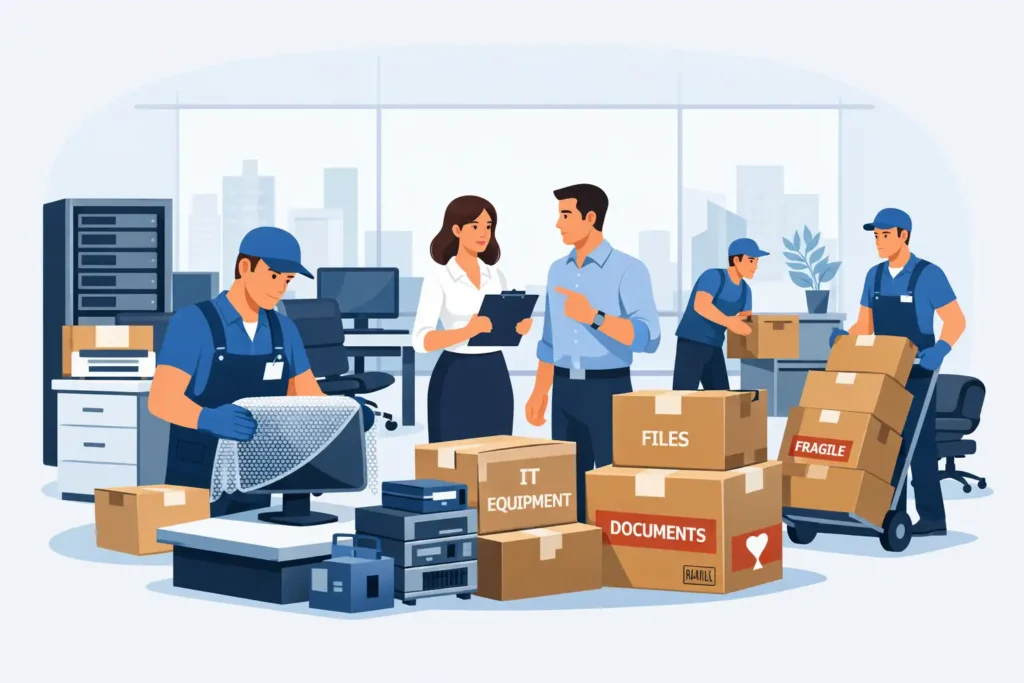
Office relocation is not just about transporting furniture from one location to another—it is a structured operational process that directly impacts business continuity, employee productivity, and data security. From early-stage planning to final workstation setup, every step of office packing requires coordination, documentation, and execution discipline. Businesses that work with experienced Packers And Movers and follow a systematic packing approach are better positioned to avoid downtime, asset damage, and operational disruptions during relocation.
Understanding Office Packing Scope and Operational Challenges
Office packing differs significantly from residential moving because it involves structured assets, shared infrastructure, confidential information, and interdependent departments. The scale of packing, level of coordination required, and risk exposure increase as the organization grows.
What Counts as Office Packing in Small, Mid-Size, and Enterprise Offices
Office packing scope varies based on office size, asset volume, and operational complexity:
- Small offices typically involve limited workstations, basic IT equipment, and minimal documentation, allowing for faster packing cycles.
- Mid-size offices require department-wise packing, detailed asset tracking, and coordinated handling of IT systems and shared resources.
- Enterprise offices involve phased packing, structured inventory audits, controlled handling of servers and confidential records, and cross-functional coordination.
As office size increases, packing becomes a project-driven activity rather than a single-day task, often requiring predefined timelines and role assignments.
Operational Risks During Packing and Physical Movement
The packing phase presents the highest operational risk during an office move. Common risks include:
- Damage to office furniture and IT equipment due to improper packing
- Misplacement of assets caused by incomplete labeling
- Data exposure risks during handling of electronic devices and files
- Extended downtime due to delayed unpacking or reinstallation
Many of these risks can be reduced by understanding how professional packers and movers operate during office relocation.
Without structured packing procedures, even minor errors can cascade into prolonged operational delays after relocation.
Common On-Ground Challenges Faced During Office Shifting
During office packing and movement, organizations frequently encounter challenges such as:
- Incomplete inventory lists before packing begins
- Overlapping departmental dependencies that delay packing schedules
- Poor communication between internal teams and movers
- Last-minute identification of critical assets that should not be packed early
These on-ground challenges often result in inefficient packing execution, increased stress for employees, and avoidable business interruptions.
Professional office relocation services help businesses manage structured packing, asset tracking, and coordinated movement across departments without disrupting daily operations.
Pre-Packing Readiness Checklist for Offices
Pre-packing readiness determines how smoothly the actual packing phase unfolds. Offices that invest time in preparation experience fewer delays, reduced asset confusion, and better coordination between internal teams and movers. This stage focuses on communication, responsibility assignment, and early identification of packing constraints.
Preparing Departments for Packing Day
Departments must be informed well in advance about packing schedules, expectations, and individual responsibilities. Early communication allows teams to segregate personal belongings from company-owned assets and organize their workstations before packing begins.
Key preparation steps include:
- Notifying employees about packing timelines and cut-off dates
- Requesting teams to clear desks and cabinets before packing day
- Assigning departmental points of contact for coordination
- Ensuring shared resources are identified and not packed prematurely
Advance preparation at the department level reduces last-minute disruptions and prevents delays during the physical packing process.
Internal Coordination for Asset Handover
Office packing requires clear ownership and accountability for assets. Internal coordination ensures that every packed item is traceable and handed over responsibly.
Common coordination practices include:
- Assigning asset owners for furniture, IT equipment, and documents
- Maintaining handover records for high-value or sensitive items
- Aligning facilities, IT, and administration teams on packing roles
- Establishing a single coordination point for movers and internal teams
Well-defined handover processes help prevent asset disputes, loss claims, and confusion during unpacking.
Identifying Packing Dependencies and Critical Items
Not all office assets can be packed at the same time. Certain systems and documents remain operational until the final stages of relocation.
Critical dependencies typically include:
- Active servers and networking hardware
- Essential workstations required for ongoing operations
- Frequently accessed documents and records
- Security systems and access controls
Identifying these dependencies early allows offices to sequence packing activities correctly, ensuring continuity of operations while minimizing downtime.
Businesses can further strengthen their preparation by reviewing a structured office relocation planning checklist before packing begins.
Office Inventory Audit and Asset Categorization for Packing
A detailed inventory audit forms the backbone of an organized office packing process. Without a clear understanding of what needs to be packed, moved, or excluded, offices risk misplacing assets, delaying unpacking, and increasing post-move reconciliation issues. Inventory planning ensures visibility, accountability, and smoother reinstatement at the new location.
Conducting a Packing-Focused Inventory Audit
Before packing begins, offices typically carry out an inventory audit that focuses specifically on relocation needs rather than routine asset tracking. This audit documents the quantity, condition, and movement priority of all office assets.
Key elements of a packing-focused audit include:
- Listing all furniture, IT equipment, documents, and shared resources
- Recording the current condition of high-value items
- Identifying items that require special packing or handling
- Excluding obsolete, damaged, or unnecessary assets from the move
A structured audit minimizes last-minute surprises and simplifies tracking during loading, transit, and unpacking. Accurate inventory management also helps estimate relocation costs more realistically.
Categorizing Assets for Safe Packing and Handling
Once inventory is documented, assets are categorized based on their handling and packing requirements. Categorization helps determine suitable packing materials, manpower, and sequencing.
Common asset categories include:
- Office furniture: desks, chairs, cabinets, workstations
- IT and electronics: computers, printers, servers, networking devices
- Documents and records: files, archives, legal paperwork
- Miscellaneous items: pantry supplies, decor, stationery
Categorization allows packers to apply appropriate protection methods and reduces the risk of damage during transit.
Labeling Systems for Efficient Unpacking and Setup
Accurate labeling plays a critical role in speeding up unpacking and restoring office operations. Poor labeling is one of the most common reasons for misplaced assets after relocation.
Effective labeling systems typically include:
- Department or team identification on each packed item
- Color-coded labels for quick visual recognition
- Clear handling instructions for fragile or sensitive items
- Destination floor or room details for the new office
A consistent labeling approach ensures that unpacking teams can place assets correctly without unnecessary rehandling or delays.
Packing Office Furniture and Workstations Safely
Office furniture represents a significant investment and is highly susceptible to damage during relocation if not packed correctly. Proper handling, dismantling, and protection of furniture and workstations help preserve usability, appearance, and structural integrity after the move.
Desks, Chairs, Cubicles, and Conference Furniture
Office furniture such as desks, chairs, cubicles, and conference tables must be packed based on their design and usage. Loose or unsecured components are prone to scratches, dents, and alignment issues during transit.
Best practices for packing office furniture include:
- Cleaning surfaces before packing to avoid abrasion
- Wrapping tabletops, panels, and exposed edges with protective materials
- Securing movable parts such as drawers and adjustable arms
- Grouping similar items together to streamline loading and unloading
Systematic furniture packing reduces handling errors and speeds up reassembly at the new office.
Dismantling Modular Furniture for Damage-Free Movement
Most modern offices use modular furniture systems that are designed to be dismantled before relocation. Transporting modular furniture without disassembly increases the risk of frame damage and joint misalignment.
Key dismantling practices include:
- Disassembling desks, workstations, and partitions into manageable components
- Removing and separately packing hardware such as screws and brackets
- Labeling dismantled parts to match their original configuration
- Keeping manufacturer-recommended handling methods in mind
Proper dismantling ensures safe movement and faster, error-free reinstallation after relocation.
Packing Glass Items, Partitions, and Storage Units
Glass partitions, cabinets, and storage units are among the most fragile office assets and require specialized packing methods.
Standard precautions include:
- Using cushioning materials to absorb shocks
- Packing glass items vertically to reduce pressure stress
- Clearly marking packages as fragile
- Avoiding stacking heavy items against glass surfaces
Careful packing of fragile furniture components significantly reduces breakage and replacement costs during office relocation.
Packing IT Equipment, Electronics, and Networking Hardware
IT infrastructure is one of the most sensitive and business-critical components of an office relocation. Improper packing or handling of electronic equipment can lead to data loss, hardware damage, and extended downtime. A structured approach to packing technology assets is essential for maintaining operational continuity.
Computers, Servers, Printers, and Peripherals
Office electronics such as desktops, laptops, servers, printers, and scanners are highly vulnerable to shock, dust, and improper handling during transit. Before packing begins, systems are typically shut down in a controlled manner and prepared for relocation.
Common packing practices include:
- Powering down equipment properly before disconnection
- Removing detachable components such as trays, cables, and accessories
- Using protective or anti-static packaging for sensitive devices
- Packing servers and high-value equipment separately from general office items
Following a structured packing approach helps reduce the risk of equipment failure after relocation.
Cable Management and Component Identification
Disorganized cables and unidentified components are a major cause of delays during post-move IT setup. Proper cable management during packing simplifies reinstallation and reduces configuration errors.
Effective cable management methods include:
- Labeling cables based on device and connection type
- Bundling related cables together using ties or pouches
- Photographing complex setups before disassembly for reference
- Packing accessories in clearly marked containers
Clear identification ensures faster restoration of IT systems once unpacking begins.
Data Safety and Equipment Protection During Transit
Protecting data is as important as protecting physical hardware. During office relocation, electronic devices are exposed to handling risks and unauthorized access if not properly secured.
Standard data protection measures during packing include:
- Creating data backups before dismantling systems
- Limiting access to packed IT equipment
- Using shock-absorbing materials to prevent internal damage
- Ensuring sensitive devices are transported under supervision
These precautions help maintain data integrity and reduce recovery time after the move.
Secure Packing of Office Documents and Confidential Records
Office documents often contain sensitive business, financial, and legal information. Improper handling during relocation can result in data exposure, compliance risks, or permanent loss of critical records. Secure packing of documents requires structured sorting, controlled access, and clear accountability throughout the move.
Sorting Active, Archived, and Sensitive Documents
Before packing begins, documents are typically classified based on their usage and sensitivity. This step prevents unnecessary movement of outdated records and ensures priority access to essential files.
Document classification generally includes:
- Active documents required for daily operations
- Archived records kept for compliance or reference
- Sensitive files containing confidential or regulated information
Sorting documents in advance helps determine which records should be packed, digitized, securely stored, or disposed of before relocation.
Packing Files to Prevent Loss or Data Exposure
Once documents are sorted, secure packing methods are applied to prevent mixing, loss, or unauthorized access during transit.
Common secure packing practices include:
- Using sturdy, sealed boxes for document storage
- Labeling boxes clearly with department and priority details
- Avoiding overpacking to prevent damage or spillage
- Maintaining separate containers for high-sensitivity records
These practices reduce the likelihood of misplaced files and ensure smooth retrieval during unpacking.)
Maintaining Confidentiality During Office Relocation
Maintaining confidentiality is critical when relocating documents that contain proprietary or regulated information. Access control and accountability are essential throughout the packing and moving process.
Standard confidentiality measures include:
- Restricting handling of sensitive documents to authorized personnel
- Tracking document movement during packing and transit
- Avoiding exposure of confidential files in shared or unsecured areas
- Ensuring secure placement of records immediately after unpacking
These controls help protect business information and reduce compliance-related risks during office relocation.
Managing Packing Schedules to Minimize Business Disruption
Poorly planned packing schedules are one of the primary reasons businesses experience operational slowdowns during relocation. A structured packing timeline allows offices to maintain continuity while gradually transitioning assets, departments, and systems without overwhelming daily operations.
Department-Wise and Phased Packing Approaches
Rather than packing the entire office at once, organizations often adopt phased packing strategies. This approach prioritizes business-critical functions while allowing non-essential departments to pack earlier.
Phased packing typically involves:
- Packing low-dependency departments first
- Scheduling critical teams closer to the move date
- Sequencing shared resources to avoid operational conflicts
- Aligning packing order with post-move setup priorities
A phased approach reduces downtime and ensures that essential teams remain functional until the final stages of relocation.
Off-Hour and Weekend Packing Execution
To limit disruption during working hours, many offices schedule packing activities outside normal business operations.
Common off-hour strategies include:
- Evening or overnight packing for non-essential assets
- Weekend packing for entire departments or floors
- Staggered schedules to balance productivity and relocation tasks
Off-hour packing helps preserve employee productivity and minimizes interference with daily workflows.
Office moving costs vary based on asset volume, packing complexity, manpower, and timelines, which are explained in detail in our packers and movers cost guide.
Coordinating Packing with Internal Teams
Successful packing schedules rely on coordination between facilities, IT, administration, and departmental teams. Clear communication prevents conflicts and ensures timely execution.
Effective coordination practices include:
- Sharing packing timelines across departments
- Assigning escalation contacts for on-site issues
- Synchronizing IT disconnections with packing schedules
- Conducting daily reviews during active packing phases
Strong internal coordination reduces delays and improves overall packing efficiency.
Coordinating with Office Packers and Movers During Packing
Effective coordination with office packers and movers ensures that packing activities follow agreed standards, timelines, and safety protocols. Clear communication and on-site supervision help avoid misunderstandings, reduce damage risks, and maintain accountability throughout the relocation process.
Before finalizing a relocation partner, businesses should review this office mover hiring checklist to understand selection criteria, responsibilities, and risk factors.
Defining Packing Responsibilities and Scope of Work
Before packing begins, responsibilities must be clearly defined between internal teams and external movers. A well-defined scope of work minimizes confusion and ensures all parties understand their roles.
Key responsibility areas typically include:
- Identifying which assets will be packed by movers versus internal teams
- Clarifying handling procedures for sensitive or high-value items
- Establishing reporting and escalation protocols
- Confirming timelines and packing sequences
Clear role definitions help streamline coordination and reduce operational friction during packing.
Supervising Packing Quality and Material Usage
On-site supervision plays a critical role in maintaining packing quality. Monitoring material usage and handling methods helps ensure assets receive appropriate protection.
Supervision typically focuses on:
- Verifying the use of suitable packing materials for each asset type
- Ensuring fragile and sensitive items receive extra protection
- Preventing overpacking or underpacking of boxes
- Addressing packing issues in real time
Active supervision reduces damage risks and improves overall packing outcomes.
Verifying Insurance Coverage for Packed Items
Insurance coverage is an essential consideration during office packing and relocation. Coverage terms often vary based on asset type and declared value.
Verification steps generally include:
- Reviewing coverage for furniture, IT equipment, and documents
- Confirming when insurance liability begins and ends
- Identifying exclusions or special conditions
- Ensuring high-value assets are properly declared
Proper insurance verification helps safeguard businesses against unexpected losses during transit.
Understanding what transit insurance covers during office relocation helps businesses protect furniture, IT equipment, and documents against damage or loss.
Move-Day Handling, Loading, and On-Site Supervision
Move day is the most execution-intensive phase of office relocation. Errors at this stage can negate weeks of planning and careful packing. Structured checks, disciplined loading practices, and continuous supervision are essential to ensure that packed assets are transported safely and reach the new office without loss or damage.
Final Checks Before Loading Office Assets
Before loading begins, a final verification process is carried out to ensure all assets are properly packed and documented. This step helps identify missing, incorrectly packed, or overlooked items.
Final checks typically include:
- Verifying packed items against the inventory list
- Ensuring all boxes are sealed, labeled, and categorized
- Confirming fragile and sensitive items are clearly marked
- Checking that critical assets scheduled for last loading are ready
Conducting a final walkthrough reduces the risk of forgotten assets and loading delays.
Safe Loading Practices for Furniture and Electronics
Loading practices directly affect asset safety during transit. Improper stacking or weight distribution can cause internal shifting and damage, especially to furniture and electronic equipment.
Standard loading practices include:
- Loading heavier furniture items first to create a stable base
- Securing electronic equipment away from high-impact zones
- Using padding and restraints to prevent movement inside vehicles
- Avoiding stacking fragile items beneath heavy loads
Careful loading minimizes transit damage and simplifies unloading at the destination.
Real-Time Supervision During Transit and Unloading
On-site supervision does not end once the vehicle is loaded. Continuous oversight during transit and unloading ensures that handling instructions are followed and issues are addressed promptly.
Supervision responsibilities often include:
- Monitoring loading and unloading sequences
- Ensuring assets are placed in designated areas at the new office
- Addressing handling concerns immediately with the moving team
- Coordinating with internal teams for priority unloading
Active supervision reduces errors, prevents mishandling, and supports a smoother transition into post-move setup.
Post-Move Unpacking, Setup, and Asset Verification
Once office assets arrive at the new location, systematic unpacking and verification are essential to restore operations quickly and identify any issues resulting from transit. A structured post-move process helps teams resume work efficiently while ensuring accountability for all relocated assets.
Systematic Unpacking and Workstation Setup
Unpacking typically follows a predefined sequence aligned with business priorities. Departments or teams that are critical to daily operations are set up first to minimize downtime.
Effective unpacking practices include:
- Unpacking assets department-wise rather than randomly
- Placing boxes and furniture in pre-assigned locations
- Prioritizing IT and communication equipment setup
- Keeping unpacking aligned with the office layout plan
Systematic unpacking reduces rehandling, avoids congestion, and accelerates operational readiness.
Reassembling Furniture and Reconnecting Equipment
After unpacking, furniture and equipment must be reassembled correctly to ensure usability and safety. Improper reassembly can lead to functional issues and future damage.
Standard reassembly practices include:
- Following original assembly configurations for modular furniture
- Using labeled hardware and components for accurate fitting
- Reconnecting IT equipment based on documented setups
- Conducting basic functionality checks after installation
Accurate reassembly supports a smooth transition back to normal business operations.
Inventory Verification and Damage Inspection
Post-move verification confirms that all assets have arrived safely and identifies any damage that may have occurred during relocation.
Verification steps usually include:
- Matching delivered items against the pre-move inventory list
- Inspecting furniture, electronics, and documents for visible damage
- Documenting discrepancies or issues immediately
- Reporting concerns as required for resolution or claims
Prompt verification ensures accountability and helps close the relocation process efficiently.
Common Office Packing and Moving Mistakes to Avoid
Despite careful planning, certain recurring mistakes continue to disrupt office relocations. Identifying and avoiding these errors helps organizations reduce downtime, prevent asset damage, and maintain operational control throughout the packing and moving process.
Inadequate Labeling and Documentation
Poor labeling is one of the most common causes of confusion during unpacking and setup. When boxes and equipment are not clearly identified, assets may be misplaced or delivered to incorrect locations.
Common labeling mistakes include:
- Missing department or destination details
- Unclear handling instructions for fragile items
- Inconsistent labeling formats across teams
- Lack of documentation for high-value assets
Accurate labeling and clear documentation streamline unpacking and reduce rehandling and delays.
Poor Coordination During Packing and Loading
Lack of coordination between internal teams and movers often leads to scheduling conflicts and inefficient execution.
Typical coordination issues include:
- Unclear packing responsibilities
- Overlapping tasks between departments
- Last-minute changes to packing sequences
- Limited on-site supervision during loading
Structured coordination and defined communication channels help maintain control during critical packing stages.
Mishandling Sensitive Equipment and Files
Sensitive IT equipment and confidential documents require additional care during packing and movement. Mishandling these assets can lead to data loss, compliance risks, and costly replacements.
Common mishandling risks include:
- Packing electronics without adequate protection
- Allowing unauthorized access to confidential records
- Mixing sensitive items with general office assets
- Failing to secure critical equipment during transit
Following structured handling procedures reduces exposure to operational and security risks during office relocation.
Office packing and moving is a complex operational exercise that demands structured planning, disciplined execution, and close coordination between internal teams and professional movers. From pre-packing readiness and inventory audits to secure handling of IT equipment, documents, and furniture, every stage plays a critical role in ensuring business continuity during relocation.
For businesses planning an office move in Bangalore, working with experienced packers and movers in Vijayawada ensures better coordination, compliance, and execution.
A well-executed office move minimizes downtime, protects valuable assets, and allows employees to transition smoothly into the new workspace. By following a systematic packing approach, adhering to clear schedules, and working with experienced Packers and Movers, businesses can significantly reduce risks associated with damage, data loss, and operational disruption.
Ultimately, successful office relocation is not achieved on moving day alone—it is the result of informed decisions, proper preparation, and controlled execution across every phase of packing and movement.
Office relocation requires precision, planning, and professional execution. Whether you are shifting a small office or managing a large-scale business move, choosing the right packing and moving partner can significantly reduce operational risks, downtime, and asset damage.